 Budget
Assets
Track non-liquid assets like real estate, vehicles, jewelry, and collectibles. Assets are separate from bank accounts and give you a complete picture of your net worth beyond cash and investments.
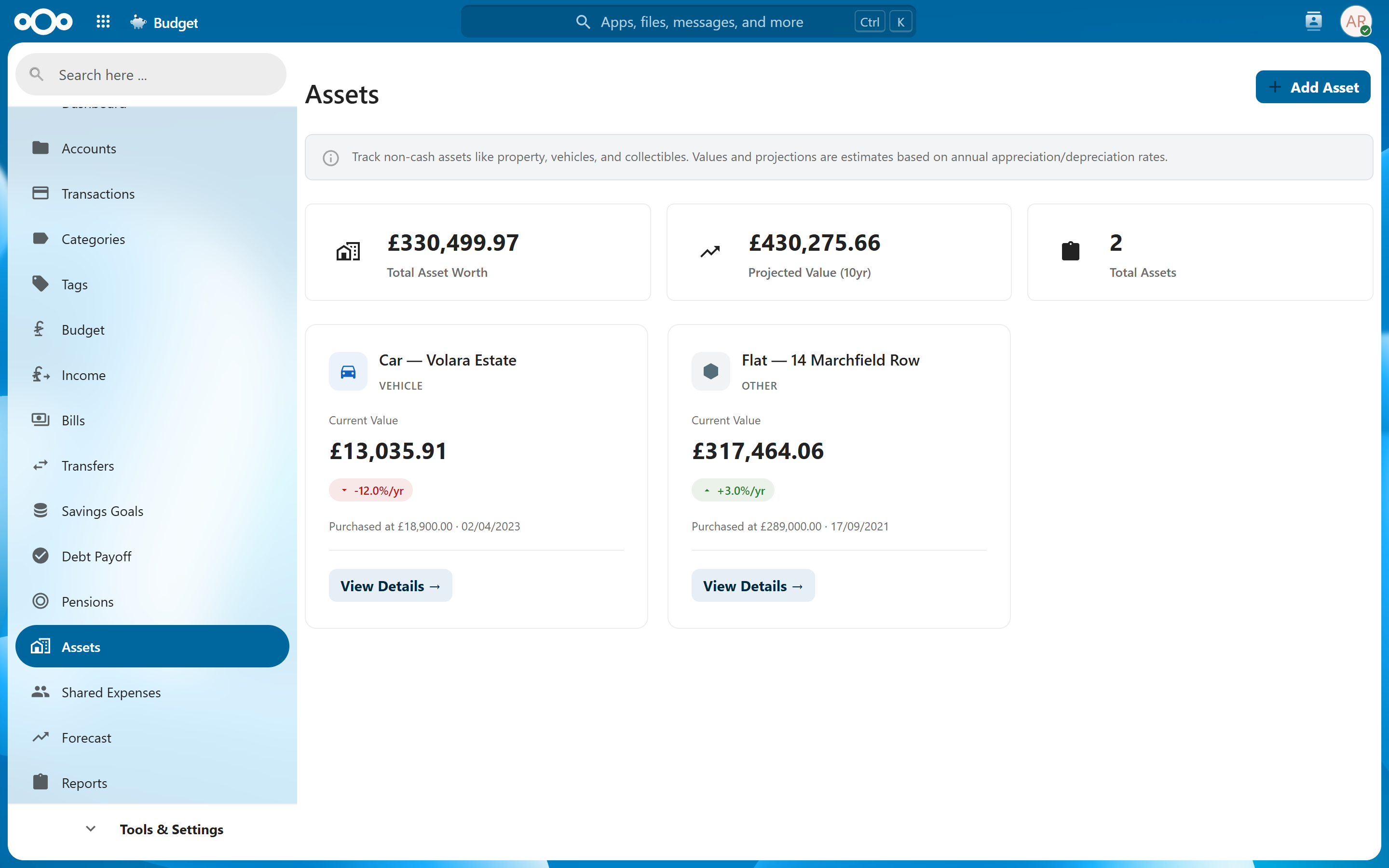
Overview#
Assets represent things you own that have value but are not liquid accounts you transact from. Your house, car, watch collection, or vintage guitar all contribute to your net worth -- the Assets feature lets you track their values over time alongside your financial accounts.
Assets appear in your net worth calculations on the dashboard and in reports, giving you a holistic view of your financial position.
Adding an Asset#
To add a new asset:
- Navigate to Assets
- Click Add Asset
- Fill in the details:
| Field | Required | Description |
|---|---|---|
| Name | Yes | Descriptive name (e.g., "123 Main St", "2021 Honda Civic") |
| Type | Yes | Real Estate, Vehicle, Jewelry, Collectible, or Other |
| Initial Value | Yes | Value at time of purchase or when you start tracking |
| Currency | Yes | Currency the value is denominated in |
| Purchase Date | No | When you acquired the asset |
| Notes | No | Free-text notes (location, serial number, etc.) |
Tip: Use the notes field for details you might need later -- property addresses, VIN numbers, appraisal sources, or insurance policy references.
Value Snapshots#
Asset values change over time. Record the current value periodically to build a history:
- Navigate to Assets and select an asset
- Click Add Snapshot
- Enter the current value and date
- Click Save
Each snapshot represents the asset's estimated value at a point in time. The app uses these snapshots to calculate appreciation or depreciation and to plot value charts.
Note: There is no automatic valuation. You determine the current value -- whether from an appraisal, online estimate, or your own judgment -- and record it manually.
Appreciation/Depreciation Projections#
The asset detail view includes an interactive chart showing value trends:
- Historical line -- Plots all recorded snapshots to show how the value has changed
- Projection line -- Extends the trend forward based on the historical rate of change
- Annualized rate -- Displays the average annual appreciation or depreciation percentage
The projection helps you estimate future value, but it is based solely on past snapshots. Real-world factors (market shifts, maintenance, wear) are not modeled.
Tip: Record snapshots at regular intervals (quarterly or annually) for the most useful trend data. Sporadic snapshots make projections less reliable.
Net Worth Integration#
Asset values are included in your net worth calculations:
- Dashboard -- The assets worth tile shows the combined current value of all assets
- Net Worth Report -- Assets appear alongside account balances in the net worth history chart
- Total Net Worth -- Calculated as account balances + asset values - liabilities
The most recent snapshot for each asset is used as its current value. If no snapshots exist, the initial value is used.
Warning: Assets are illiquid. A high net worth driven by assets does not mean you have cash available. The dashboard and reports distinguish between liquid (accounts) and illiquid (assets) portions of your net worth.
Related Features#
- Dashboard -- Assets worth tile displays combined asset values
- Reports -- Net worth history includes assets
- Accounts -- Liquid accounts tracked separately from assets
Settings#
There are no dedicated settings for assets. Asset management is handled directly through the assets interface.