 Budget
Envelope (Rollover) Budgets
Classic envelope budgeting: what you don't spend this month stays in the envelope for next month — and what you overspend comes out of it. Turn it on per category and the Budget view, alerts, dashboard and reports all show the same carried-over amounts.
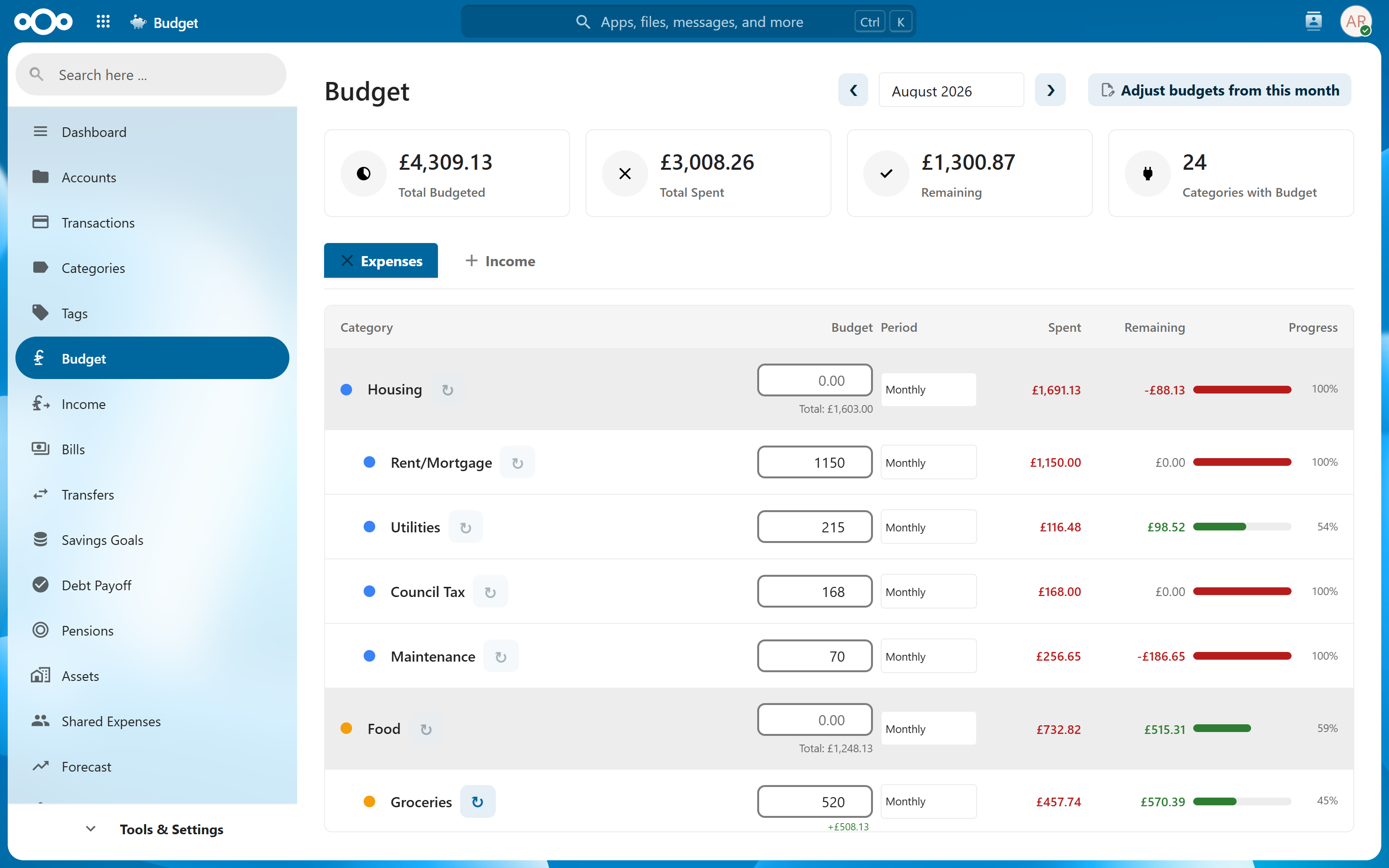
How It Works#
Without rollover, every category's budget resets to its full limit on the first of the month. With rollover enabled:
available this month = monthly budget + last month's leftover (or overspend)
- Spend €250 of a €300 Groceries budget in June → July shows €300 + €50 carried = €350 available.
- Spend €400 in June → July shows €300 − €100 overspent = €200 available.
The chain continues month over month from the day you enable it.
Subcategories are part of the envelope#
An envelope covers the category and everything filed underneath it, which is what the Budget view has always shown on a parent row. So you can budget €300 on Groceries and file the actual transactions under Groceries › Supermarket and Groceries › Bakery — all of it comes out of the one envelope, and the leftover carried into next month is the whole branch's.
The exception is a subcategory with its own envelope switched on: it keeps its own chain from the month you enabled it, and its parent stops counting it (it would otherwise be counted twice).
These subcategories stay out of a parent's envelope entirely, along with anything filed under them:
- ones you've excluded from budgeting or from reports;
- ones budgeting on a different period — a quarterly or yearly subcategory budget covers a different span, so it can't be added to a monthly envelope;
- income subcategories, which hold a target rather than a budget to spend against.
Enabling Rollover#
On the Budget view, each monthly expense category row has a circular-arrow toggle (↻) next to the period selector. Click it to enable envelope behavior for that category.
- Carryover starts from the month you enable it — history before that is not retroactively converted. With a custom budget start day, that is the budget month running when you enable it, which can be next calendar month once the start day has passed.
- Turning it off and back on later resets the chain (old carryover does not resurrect).
- v1 scope: monthly-period expense categories. The toggle is unavailable for weekly/quarterly/yearly periods and income categories.
Things Worth Knowing#
- Shared accounts count. Spending in an account someone has shared with you comes out of your envelope like any other spending, matching what the rest of the Budget view already counts.
- Derived, never stored. The carried amount is recomputed from your actual budgets and spending every time it's shown. Edit or delete a transaction in a past month and every later month's carryover updates automatically — there is no cached number to go stale.
- Negative carryover is real. A depleted envelope (available ≤ 0) still appears as over budget on the Budget view, the dashboard's Budget Progress tile, budget alerts and reports — it doesn't silently vanish. Its remaining amount shows what it still owes.
- Auto-derived budgets (#269) compose: months with no manual budget use the recurring-bills fallback for the current and future months, exactly as the Budget view displays them. Past months in the chain use only what was actually set (manual or snapshot) for that month.
- Budget adjustments (snapshots) compose: if you changed a category's budget from a given month, the chain uses the right base for each month.
- Future months are projections. Looking ahead, the carryover assumes you spend nothing more this month — labeled "(projected)".
- Inactive months break the chain. A month with no budget and no carry contributes nothing, so an envelope you stopped funding doesn't accumulate phantom deficits.
- Custom budget start days are respected — "months" follow your configured period boundaries.